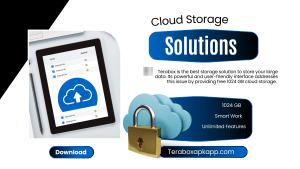
Terabox is the best storage solution for storing your large files, photos, and videos. Its user-friendly interface addresses this issue by providing free 1024 GB cloud storage. You can easily access your files on a smartphone, tablet, or computer with Terabox. It also provides the best privacy features in which you can save your secret data without any difficulty. It works for free storage space and keeps your data safe with advanced features. This guide introduces you to what Terabox is and how does it works for your important files.
What is TeraBox?
TeraBox is a free cloud storage platform designed to protect your files and manage them for you with the help of AI power. It provides users with 1 TB of free storage space and allows users to store and organize a large amount of digital data. It offers a user-friendly interface that allows users to enjoy their benefits easily.
Discover Terabox cloud storage space ( 1TB Free Storage)
Managing data efficiently has become a major need. Many storage solutions can be costly or inconvenient, leaving users with limited options. It offers a practical answer with 1024 GB of free storage.
TeraBox lets you securely store and organize all your files without any additional costs. Enjoy the convenience of ample storage without the hassle of expensive hardware.
How does Terabox work?
TeraBox gives free access to store and back up your files easily. You need to just set up your account, upload your files, and access them from any device.
Account Access
Terabox allows you to create your account on your device easily. Download the Terabox app from Teraboxapkapp.com and create an account on your device. Install it and open the app to start the account setup. Enter your email address and choose a strong password to secure your account. If you already have an account, then you just need to log in using your existing details.
File Uploading
If you are Worried about storing your files on your mobile and not having enough space for this, you can find a solution with the Terabox app. To upload files, open the TeraBox app and locate the upload button, which may be represented by a “+” icon. Click this icon and select the files you want to upload.
It works with different types of files so that you can store almost any file here. After choosing your files, the app starts uploading them. You can watch the progress and see when the upload is done.
Accessing Your Files
You can access your files from any device easily with Terabox. The app keeps your files updated on your devices, whether you download for iOS, smartphone, tablet, or computer.
You can easily view and manage your submitted documents smartly. The cloud system ensures you can access your data anytime and anywhere you need. It helps you stay productive and always have your important files within your reach.
Enhancing Security
TeraBox provides encryption to protect your files, ensuring that only authorized users can access them. The app includes features like automatic backups to prevent data from getting lost. Users easily customize security settings with strong password protection and two-factor authentication.
Regular security updates keep your data safe from various threats. These updates work together to ensure your information stays private and secure, protecting it from unauthorized access.
Managing Your Storage
Manage your space with this app, which allows the best features to manage space. The app provides an easy-to-use dashboard that helps you stay organized and control your storage space. Check your storage usage easily with the TeraBox app’s dashboard. It shows how much space you have used and what’s still available.
You can manage your files with drag-and-drop to organize them into folders. The dashboard also highlights which files take up the most space. If you need more space, you can upgrade to a premium plan.
Efficient File Sharing and Collaboration
Terabox works smartly and provides the best features for your device data. Share files or folders with others using secure links or email invitations. You can set permissions to control who can view, edit, or comment on your files.
Collaborators can access shared files from any device, streamlining teamwork and document management. The app tracks changes and updates in real-time, keeping everyone on the same page. This collaborative approach enhances productivity and makes it easy to work together, whether you are managing projects or sharing personal files.
FAQs
Is TeraBox really free to use?
Yes, TeraBox offers 1 TB (1024 GB) of free cloud storage. You can upload, store, and access your files without paying any fees.
Can I use TeraBox on multiple devices?
Yes, TeraBox works on smartphones, tablets, and computers. You can log in to your account on any device and access your files anytime.
Is my data safe on TeraBox?
TeraBox uses encryption and security features to protect your files. It also supports strong passwords and two-factor authentication for extra safety.
What types of files can I upload to TeraBox?
You can upload photos, videos, documents, audio files, and many other file types. TeraBox supports most common formats.
Can I share files with others using TeraBox?
Yes, TeraBox allows you to share files or folders using secure links. You can also control access permissions for better privacy.
Conclusion
Does this app handle all your space-related queries, like How does Terabox work? It allows you to handle your work smartly. It’s designed to meet all your storage and sharing needs while keeping your files safe. Don’t wait any longer, sign up today and enjoy the experience of convenience and reliability that TeraBox brings to your digital life!